
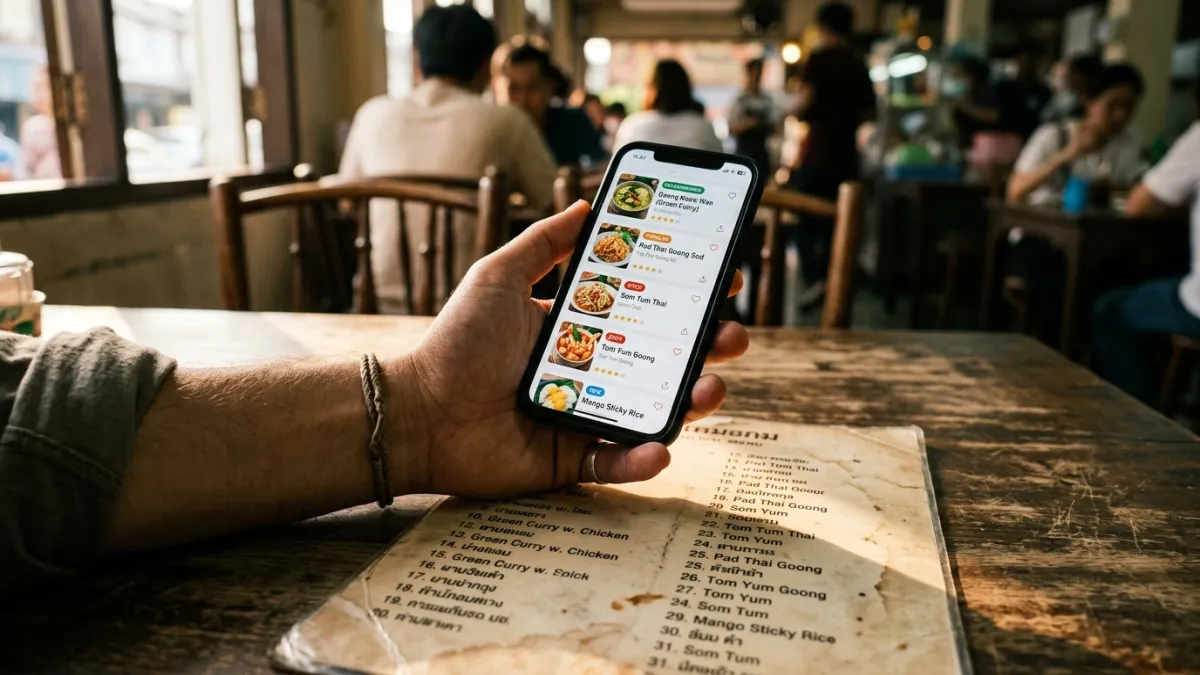
You’re standing at a counter in Chiang Mai with a menu in Thai script, forty dishes on it, and a shellfish allergy. Someone behind you is waiting. You point your phone at the menu because the alternative is guessing.
Menu Decoder assigns every dish it reads one of three verdicts: safe, caution, or unsafe. Each verdict arrives with the specific ingredient that triggered it and a written reason. When the model is uncertain about an ingredient, the instructions force the answer down to caution rather than up to safe.
TL;DR: Three verdicts, never more. Every dish carries a named risk factor and a reason you can read. Uncertainty always resolves to caution, by written instruction. Nine cuisines add a hidden-ingredient file to the analysis. The green badge says “Likely OK”, not “safe”, and that wording is deliberate.
This article describes how the scanner works, not what is safe to eat. If you have a diagnosed food allergy, confirm ingredients with the kitchen before you order.
What Are the Three Verdicts, and What Does Each One Mean?
There are exactly three, defined as a fixed list in the code (safe, caution, unsafe) so a fourth cannot appear. The definitions handed to the model are narrow on purpose:
| Internal verdict | What you see on the card | What the model was told it means |
|---|---|---|
safe | Likely OK | ”The dish clearly does not contain restricted ingredients” |
caution | Check with staff | ”The dish may contain restricted ingredients, or you are uncertain” |
unsafe | Likely contains restriction | ”The dish clearly contains restricted ingredients” |
Two of those three definitions require the word “clearly”. Anything short of clear falls into the middle band. Results are then sorted safest first, so the dishes worth reading about sit at the top of the screen and the ones to skip sink to the bottom. That ordering is the whole job: turning forty dishes into a short list you can actually work with.
Why Does the App Never Tell You a Dish Is Safe?
Because “safe” is a promise nobody who has not seen the kitchen can make. The internal value is called safe, but the badge on the card reads “Likely OK”, and the middle badge reads “Check with staff” rather than anything that sounds like a warning you can ignore.
The tie-break rule is written into the analysis instructions as a Safety Directive, in these words: “When uncertain about an ingredient, ALWAYS mark the dish as ‘caution’, never ‘safe’. User safety is the priority.”
I wrote that sentence knowing what it costs. A conservative scanner flags more dishes, which makes the app look worse in a screenshot and leaves you more work to do at the table. I kept it because the two mistakes are not the same size. A dish wrongly flagged as caution costs you one question to the kitchen. A dish wrongly cleared costs you your evening, or worse.
What Happens to a Dish the Scanner Isn’t Sure About?
An uncertain dish becomes caution with its reason attached, which is more useful than it sounds. Every dish returns two extra fields alongside the verdict: riskFactor, the specific ingredient at issue (“peanuts”, “shellfish”, “gluten”), and reasoning, a sentence explaining the call. The risk factor sits on the card and the reasoning opens when you tap it.
So a caution verdict is not a shrug. It is a named suspicion, which converts directly into the one question worth asking: “does this have shrimp paste in it?” beats “is this safe?” in any kitchen, in any language. According to the Annals of Allergy (2023), 30% of food-allergic travelers experienced an allergic reaction while traveling. Vague questions are part of why.
What Does It Check Each Dish Against?
Your dietary profile, which is seven toggles plus a free-text field. The toggles are vegan, vegetarian, gluten-free, peanut allergy, shellfish allergy, pork-free and sugar-free. The free-text field takes up to 500 characters and is passed into the analysis word for word, so “tree nut allergy, no cashews in the curry paste” arrives at the model exactly as you typed it.
The interesting case is an empty profile. A scanner with nothing to check against could reasonably return an all-clear on everything. This one is instructed to do the opposite: with no restrictions set, it flags the common allergens (gluten, dairy, nuts, shellfish, soy, eggs) as caution instead. An empty profile produces a cautious read of the menu, not a blank one.
How Can It Know an Ingredient the Menu Never Lists?
Because the menu text is treated as evidence, not as the ingredient list. The instruction is explicit: “Do NOT rely solely on what is written on the menu.” Before the main analysis runs, a second, cheaper model looks at your first photo and identifies the cuisine, on a five-second timeout. If it lands on one of nine cuisines, the matching hidden-ingredient research file is loaded into the analysis in full.
| Step | What happens | The value behind it |
|---|---|---|
| Cuisine detection | A cheap model reads the first image | Five-second timeout, fails quietly |
| Knowledge injection | The matching cuisine file is added | Thai, Japanese, Chinese, Korean, Indian, French, Italian, Mexican, Southeast Asian |
| Conflict handling | Traditional ingredient vs your profile | Marked caution, ingredient named in the reasoning |
Why Does Green Curry Get Flagged When the Menu Only Says “Green Curry”?
Because the knowledge file carries what the dish name leaves out. A Thai green curry comes back flagged for a shellfish profile even when the menu says nothing but “green curry”. Every standard Thai curry paste contains kapi (กะปิ), fermented shrimp paste, as covered in What Are the Hidden Shellfish Ingredients in Thai Food?. The same gap between the printed dish name and the traditional recipe runs through every cuisine we’ve written up, from peanuts in Thai cooking (Can You Eat Thai Food With a Peanut Allergy?) to the wider set in the hidden allergen traps of world cuisines. Those articles and these knowledge files are built from the same research.
What Stops a Bad Answer From Reaching Your Screen?
Three checks, in order. First, the model is constrained to return JSON only, with no prose around it. Second, the response is validated against a strict schema before anything renders, so a reply missing a verdict, a risk factor or a dish name is rejected as a whole. Third, if that validation fails you get an error and a retry prompt, never a partial list of dishes with the rest quietly dropped.
There are two time limits behind that. Cuisine detection gives up after five seconds and continues without the knowledge file. The scan itself is abandoned after 60 seconds rather than returned half-finished. You can send up to four pages of the same menu in one scan, up to 10 MB each, and dishes appearing on more than one page are deduplicated so a long menu does not come back as a list of repeats.
Where Does This Decision Procedure Stop?
Five places, and they matter more than anything above:
- “Likely OK” means no restricted ingredient was identified in a photograph. Nobody in the restaurant has been asked anything when that badge appears.
- Cross-contact is invisible to a camera. A shared fryer, a shared wok, a shared pot of boiling water: none of that is written on a menu, so none of it can be read off one.
- Only nine cuisines have a knowledge file. A Vietnamese, Brazilian or West African menu is analyzed on general reasoning alone, and detection failures are silent, so nothing on screen tells you the file was missing.
- A dish the camera cannot read is a dish that cannot be flagged. Handwriting, chalkboards, glare and blur remove dishes from the analysis silently.
- The same menu can come back worded differently. These models do not repeat themselves exactly, so a second scan may explain a dish in other words. That is why every card prints its risk factor and reasoning instead of a bare color.
The disclaimer you accept before your first scan says the same thing in fewer words: results are best-effort assessments, and ingredients should be confirmed with restaurant staff.
What Are the Most Common Questions About How Menu Decoder Decides?
Can AI actually detect allergens in food?
No, and the distinction matters. Nothing about photographing a menu detects an allergen in the chemical sense. What the analysis does is read dish names, match them against traditional recipes for that cuisine, compare the result to your profile, and name the ingredient that creates the conflict. It is inference from text and cuisine knowledge, not measurement of food. A lab test detects allergens. A menu scanner narrows a forty-dish menu to the handful worth asking about, and gives you the specific ingredient to ask about. Anything sold as chemical detection from a photograph is claiming something the technology does not do. This is also why every uncertain dish resolves to caution rather than safe: inference is the right tool for shortening the list, not for issuing an all-clear.
What should I do when a dish says “Check with staff”?
Ask about the named ingredient, not about your allergy in general. The card shows the risk factor, so you already have the specific thing to ask about, and tapping the card shows the reasoning behind the call. “Does this have shrimp paste in it?” gets a usable answer from a cook who has never heard the word “allergen”, while “is this safe for allergies?” often gets a polite yes. In the US alone, food allergy accounts for 3.4 million emergency room visits per year (FARE, 2024), and hidden ingredients in sauces and pastes are a recurring cause. Menu Decoder also generates a per-dish message in the menu’s language that you can show the kitchen, which is the same question with the language barrier removed. Show it to whoever cooks, not to the person taking your order.
What if my restriction isn’t one of the seven toggles?
Type it into the free-text field on your profile. It takes up to 500 characters and goes into the analysis verbatim, so tree nut allergy, sesame, nightshades, kosher, halal or “no cilantro, it ruins everything” all work as written. Be specific in the same way you would be with a person: “sesame, including sesame oil” gives the analysis more to work with than “sesame”. The seven toggles exist because they are the most common cases and toggles are faster than typing, not because they are the only restrictions supported. If you have several, list them all. The analysis compares every dish against everything in your profile at once, and the risk factor names whichever one conflicts, so a dish that clashes with two of your restrictions still comes back with the specific ingredient rather than a general warning.
Does it work if I don’t set a dietary profile at all?
Yes, but it changes what you get back. With an empty profile the analysis is instructed to flag the common allergens (gluten, dairy, nuts, shellfish, soy, eggs) as caution rather than return an all-clear on everything. In practice that means a first scan without a profile is a general hazard read of the menu, useful for orientation and not much else, because a menu where most dishes are flagged does not narrow anything down. Setting the profile is what turns the scan from a list of things that might contain something into a list keyed to the two or three ingredients you actually care about. It takes about a minute: seven toggles and a text box, saved to your account, applied to every scan after that.
What happens if the menu is handwritten or badly lit?
Extraction degrades, and it degrades quietly. A dish the camera cannot resolve is a dish that never enters the analysis, so it cannot be flagged and it will not appear on your results screen at all. Nothing says “three dishes were unreadable”, because the analysis has no way to know what it could not see. The practical answer is to check the dish count against the menu in front of you, and to reshoot pages that came out blurry, in even light and without glare from a plastic overlay. You can send up to four pages of the same menu in one scan, up to 10 MB each, and repeated dishes are deduplicated, so photographing the whole menu properly in one go is usually cheaper than scanning twice and comparing.
Is this a substitute for asking the kitchen?
No, and it is not built as one. The tool narrows a long menu to the few dishes worth a conversation and hands you the specific ingredient to raise. The conversation still has to happen, especially with a history of anaphylaxis, because the things that hurt people most often are the things a menu never records: what else went through the fryer, what the sauce was thickened with, what the wok cooked before your order. Even the scan itself is treated as disposable rather than authoritative, which is why it is abandoned after 60 seconds instead of returned half-finished. The disclaimer you accept before the first scan states the same position: best-effort assessments, not medical advice, confirm with restaurant staff. Read the verdicts as a way to arrive at the conversation prepared rather than as a reason to skip it.